On this page7 sections
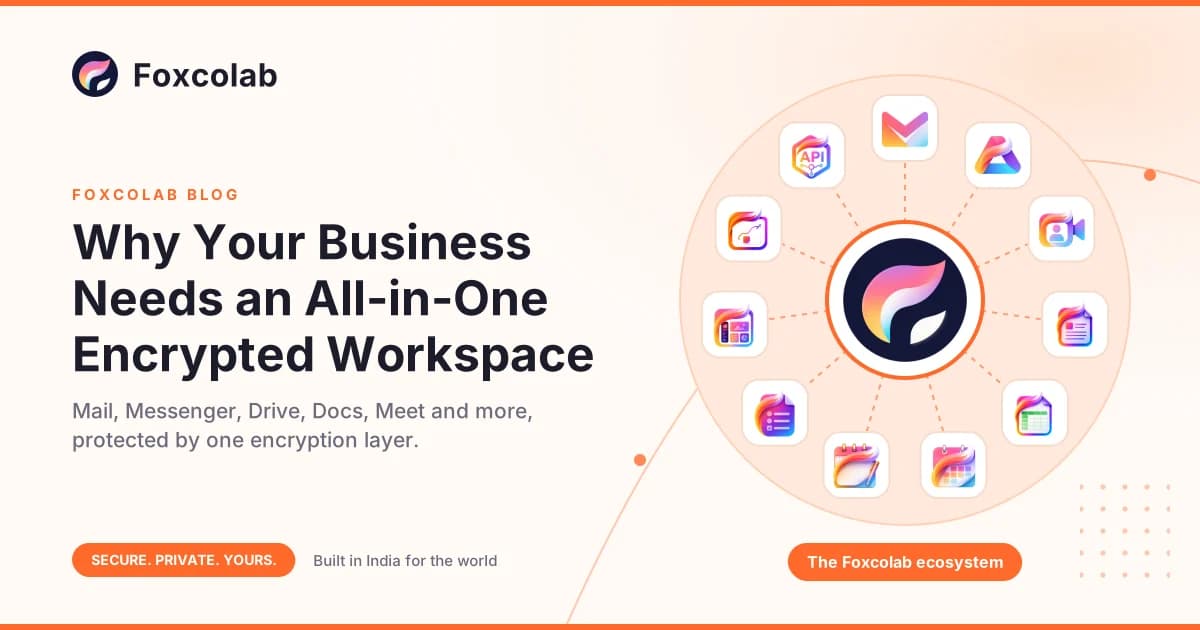
Your team's most sensitive information doesn't live in one place. It's spread across an email provider, a chat app, a cloud drive, a document editor, a whiteboard tool, and a video meeting platform, each with its own login, its own privacy policy, and its own idea of what "secure" means. An encrypted workspace brings all of those tools under one roof and protects every one of them with the same end-to-end encryption. That matters because data rarely leaks from the tool you worry about most. It leaks from the gaps between tools: the file exported from a secure drive and pasted into an unencrypted chat, the meeting notes saved to a personal account, the contract emailed as a plain attachment. In this guide, you'll learn what tool sprawl really costs your business, where the security gaps hide, and how an all-in-one, privacy-first workspace like Foxcolab closes them without slowing your team down.
1. The hidden cost of tool sprawl
Tool sprawl is what happens when a business adds one app at a time to solve one problem at a time. Nobody plans it. A few years later, the team is paying for six or seven subscriptions that don't talk to each other.
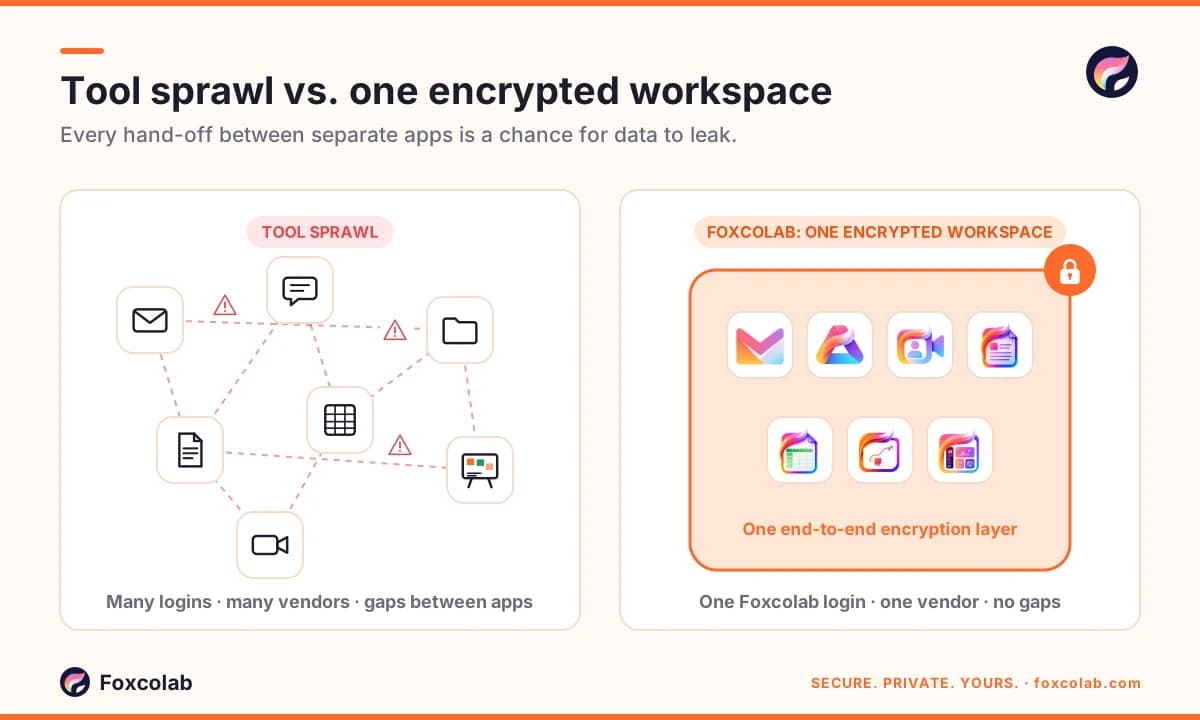
The costs show up in four places:
- Money: Separate subscriptions for email, chat, storage, docs, whiteboards, and meetings add up, and many charge per user per tool.
- Time: Switching between apps, hunting for the right file, and re-sharing links breaks focus many times a day.
- Administration: Every tool needs its own onboarding, offboarding, permissions, and billing. When someone leaves, IT has to remember to revoke access in every one of them.
- Risk: Each tool is another vendor holding your data under its own privacy policy, and another account that can be phished or misconfigured.
The last cost is the one most teams underestimate, so let's look at it more closely.
2. The security gaps between disconnected apps
Even when each tool is secure on its own, your data is exposed every time it moves from one tool to another. A file is downloaded from a drive, attached to an email, then pasted into a chat app that may store it in readable form. Each hand-off is a chance for it to leave the protected space.
The most common gaps are: • Mixed encryption standards: One app is end-to-end encrypted, another only encrypts data at rest, so the provider can read it. • Downloads and exports: Every time someone downloads a file to share it elsewhere, a readable copy now exists outside your control. • Shadow IT: When the approved tools are clumsy, people use personal accounts and free apps, which nobody in IT can see or secure. • Forgotten accounts: When an employee leaves, one missed account in one tool can keep company data exposed for months. Email is often where these gaps start.
3. Why one encrypted ecosystem works better
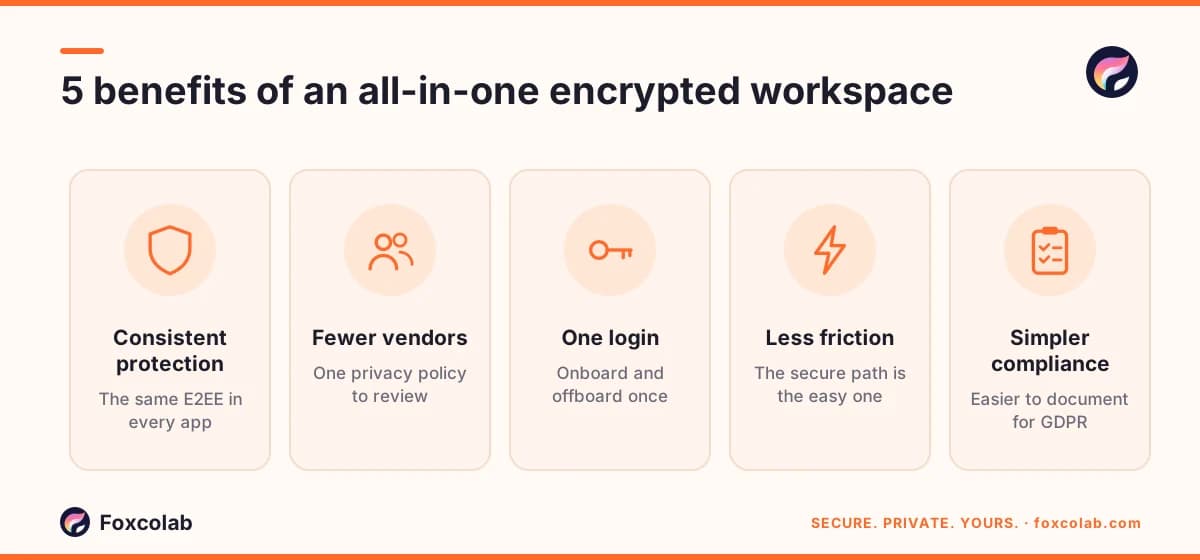
When every app shares the same encryption, the same identity, and the same permissions, data can move between them without ever leaving the protected space. That single change brings several benefits. Consistent protection everywhere. Your messages, files, documents, and meetings all get the same end-to-end encryption. There's no "weak link" app that stores everything in readable form. (New to the concept? Read our guide: What Is End-to-End Encryption? A Plain-English Guide for Teams.) Fewer vendors seeing your data. With one provider instead of six, there's one privacy policy to review and one company to hold accountable. One login, one set of permissions. Onboarding a new hire takes one account. Offboarding someone removes their access to everything at once, so no forgotten accounts are left behind. Less friction for your team. Sharing a file in chat, turning a meeting into a document, or attaching a sheet to an email happens inside the same workspace. People stop reaching for insecure shortcuts because the secure path is also the easy one. Simpler compliance. Regulations like GDPR expect you to know where personal data lives and how it's protected. One encrypted ecosystem makes that much easier to document.
4. What's inside Foxcolab
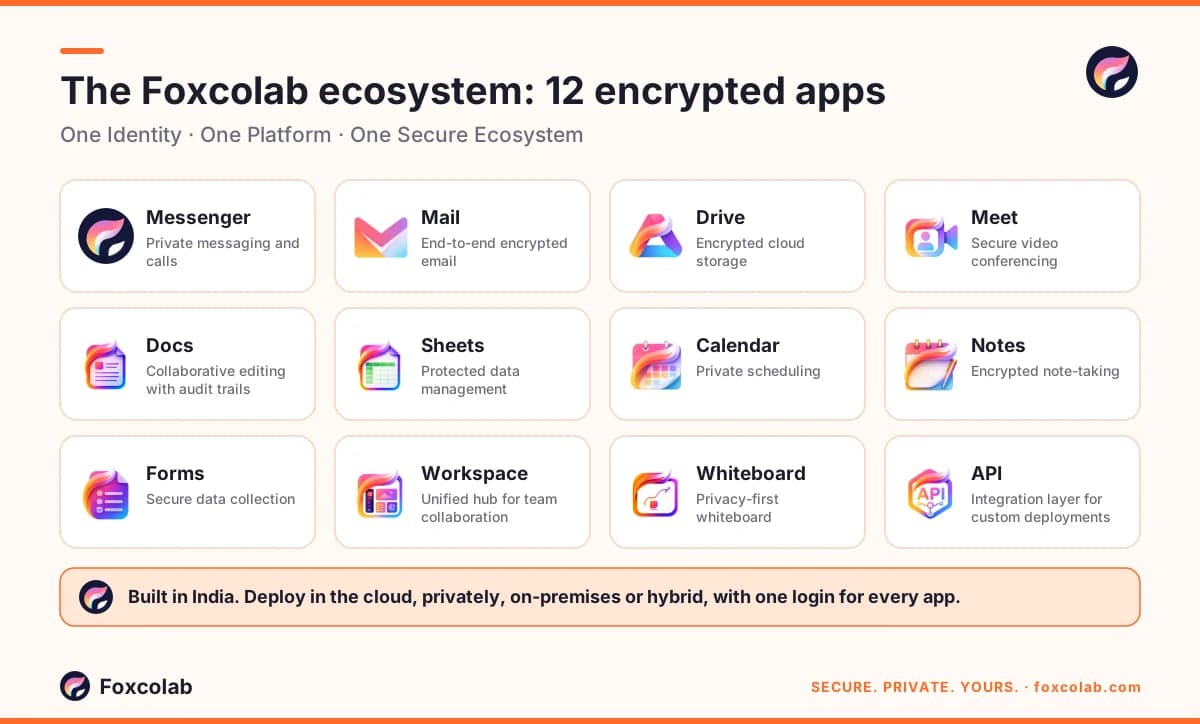
Foxcolab is a privacy-first digital ecosystem: seven everyday work apps, all protected by end-to-end encryption and connected through one account.
Every app sits inside the same encryption layer, so content stays protected as it moves between them. • Foxcolab Mail: Business email where messages are encrypted end to end.
• Foxcolab Messenger: Team channels and direct messages that only participants can read. • Foxcolab Drive. Encrypted cloud storage with secure sharing links. • Foxcolab Docs and Sheets. Real-time collaboration on documents and spreadsheets without exposing their contents. • Foxcolab Whiteboard. A shared canvas for brainstorming, planning, and diagrams that stays private to your team. • Foxcolab Meetings. Encrypted video calls for confidential conversations. For distributed teams, having all of this in one place is the foundation of a secure setup.
5. How to choose an encrypted workspace
Not every product that says "secure" is end-to-end encrypted. Use these questions to compare options, including Foxcolab, before you commit.
| Question to ask | Why it matters |
|---|---|
| Is the encryption end-to-end, or only in transit and at rest? | Only end-to-end encryption stops the provider itself from reading your data. |
| Does it cover every app, including meetings and docs? | One unencrypted app becomes the weak link for the whole workspace. |
| Who holds the encryption keys? | If the provider holds them, it can technically access your content. |
| What happens when you email or share with outside people? | Messages to non-users are often handled differently; check how they're protected. |
| What metadata is visible to the provider? | Subject lines, file names, and contact lists can reveal a lot even if content is encrypted. |
| Where is data stored, and under which laws? | Data location affects compliance with GDPR and other regulations. |
| Can you migrate in and export out easily? | You should never be locked in to any provider, including a private one. |
| Is it easy enough that people will actually use it? | A secure tool that's hard to use pushes teams back to insecure shortcuts. |
6. Getting started with Foxcolab
Moving to an encrypted workspace doesn't have to happen all at once. Most teams find a phased switch the least disruptive.
List your current tools.
Write down every app your team uses for email, chat, files, docs, sheets, whiteboards, and meetings, and who owns each one.
Start with a pilot team
Pick a small group that handles sensitive work, such as finance, HR, or leadership, and move them first
Move communication, then files
Switch email and messenger first so new conversations are protected from day one, then migrate your drive and documents.
Train in short sessions
A 30-minute walkthrough of each app is usually enough. Focus on sharing files and inviting outside guests securely.
Roll out to everyone and retire old tools
Once the pilot is happy, move the rest of the company and cancel the subscriptions you no longer need.
Ready to protect every conversation, file, and meeting in one place? Start your free Foxcolab trial or book a demo with our team.
Frequently asked questions
Q: What is an encrypted workspace?
An encrypted workspace is a single platform that combines email, chat, file storage, documents, and meetings, and protects all of them with end-to-end encryption so only you and the people you share with can read your data.
Q: Is end-to-end encryption different from regular cloud security?
Yes. Most cloud tools encrypt data in transit and at rest, but the provider still holds the keys and can read it. With end-to-end encryption, content is encrypted on your device and only decrypted by the intended recipients.
Q: Can I still collaborate with people outside my company?
Yes. You can share files and invite guests to meetings. Check how each app protects content shared with people who don't have a Foxcolab account.
Q: Will an encrypted workspace slow my team down?
It shouldn't. Because every app lives in one place with one login, most teams spend less time switching tools and searching for files.
Q: Is an all-in-one workspace cheaper than separate tools?
Often, yes, because you replace several per-user subscriptions with one. Compare your current total spend against Foxcolab's pricing to see the difference for your team.
Q: How do I move my existing data to Foxcolab?
communication first, then files and documents. See the step-by-step plan in the Getting started section above.

Engineers and security specialists building Foxcolab's zero-knowledge collaboration suite.
More from BikramWas this article helpful?
Your feedback directly guides our engineering and product teams.